The problem
You've downloaded hundreds of STL files. They're scattered across your Downloads folder, Desktop, and that one external drive. Finding anything means scrolling through cryptic filenames like "dragon_final_v3_FINAL.stl".
Modelist fixes this. Point it at your folders and it shows everything in a visual gallery. Search actually works. No cloud, no accounts, just your files organized the way they should be.
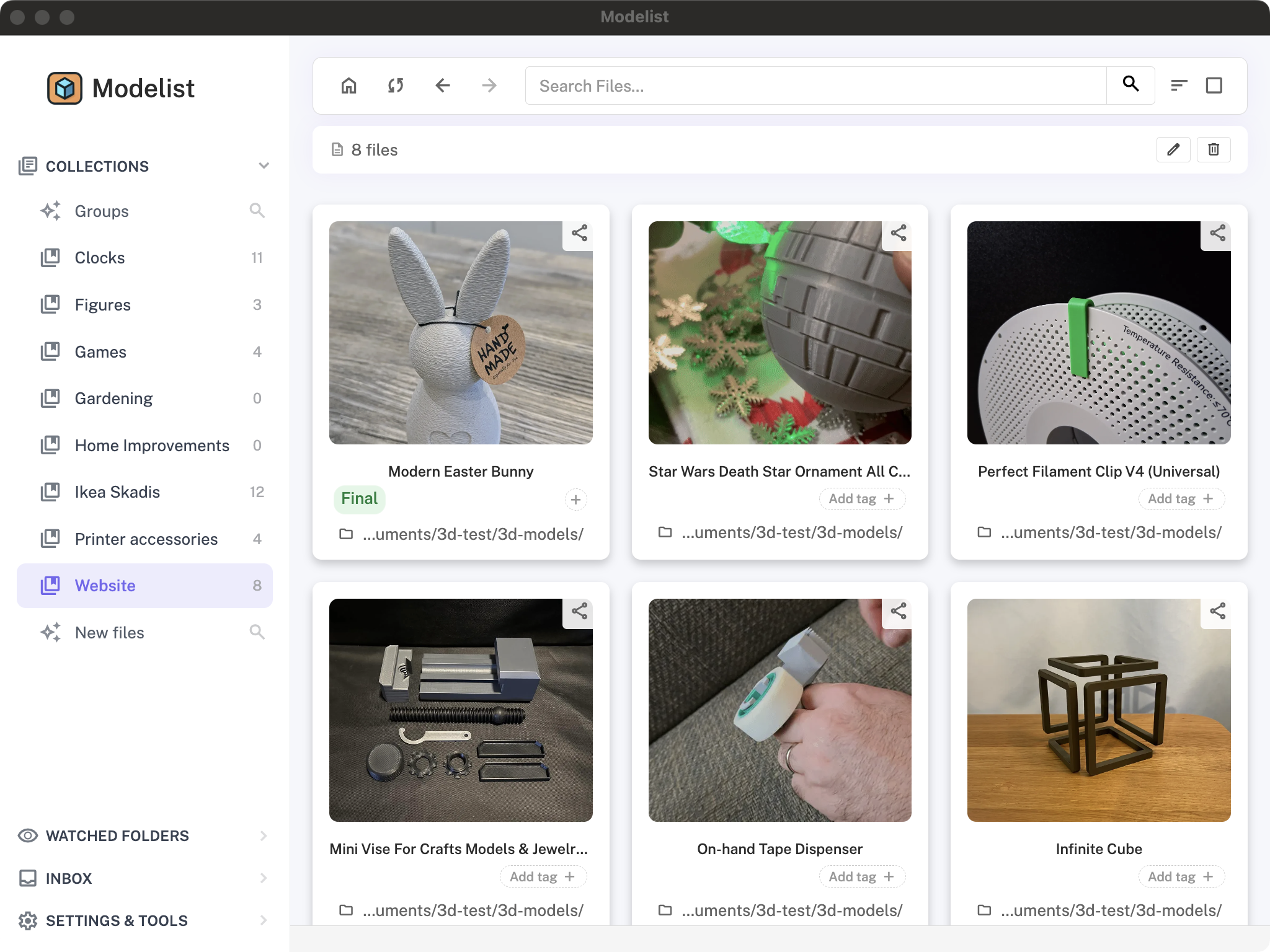
Your 3D printing library, organised
What makes it useful
Automatic scanning
Point it at your folders. It finds all your STL, 3MF, and OBJ files automatically. Set it and forget it.
Visual previews
See what your models look like before opening them. Works with embedded 3MF images and generates previews for STLs.
Search that works
Type "dragon" and find all your dragon models instantly. No more guessing filenames or scrolling endlessly.
Custom tags
Organize your way. "To Print", "Favorites", "Needs Support" - create tags that make sense for you.
Slicer integration
Click to open in Bambu Studio, PrusaSlicer, or any slicer. Works just like your file manager, but better.
Mobile sharing
Found a model on your phone? Share the link and it appears in your desktop app instantly. Surprisingly handy.
Duplicate detection
Downloaded the same file multiple times? It finds duplicates so you can clean up and save space.
Local & private
Everything stays on your computer. No cloud uploads, no data collection. Your files are yours.
How it works
Download and install
Available for macOS, Windows, and Linux. No signup required.
Add your folders
Point Modelist at wherever you keep your 3D files. It'll scan and index everything.
Browse and print
Find your files in seconds, open them in your slicer, and get printing.
Try it free
The free version shows your last 50 files - plenty to see if it's useful.
If you like it, unlock everything with a one-time purchase for lifetime access.